If your team still relies on paper files, shared drives full of folders named “Final_v3_USE_THIS,” or a filing cabinet that no one wants to touch, you already know the frustration. Tracking down a single document can eat up more time than the task it was meant to support. For operations managers and department heads running lean teams, that friction adds up fast. Understanding what document management software does, and what it can save you, is the first step toward fixing it.
What is document management software?
Document management software (DMS) is a digital system for capturing, storing, organizing, and retrieving your organization’s documents and files.
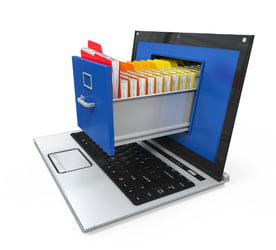
Think of it as a highly intelligent filing system that lives in the cloud or on your network and can be searched instantly, accessed from anywhere, and locked down so only the right people see the right things.
Unlike a basic shared folder, a DMS is built around business workflows. It connects with your scanners and printers to digitize paper on the way in, routes documents through approval processes automatically, tracks every version and every change, and keeps a full audit trail for compliance purposes. It doesn’t just store files — it manages them throughout their entire lifecycle.
The high cost of manual document management processes
Paper looks cheap. It’s one of the most expensive habits a business can maintain.
Lost productivity: The cost of searching for documents
Studies consistently show that employees spend significant portions of their workweek just looking for information. When a document is misfiled or exists in three slightly different versions across two shared drives and someone’s desktop, that time multiplies. Recreating a lost document costs an average of $200. A single five-drawer filing cabinet runs about $1,000, and that’s before you factor in the floor space it occupies. In fact, 50% of office space in paper-heavy environments is dedicated to document storage alone.
For small teams, these are real hours and dollars that could be spent on higher-value work.
Increased compliance risks and security exposure
Regulated industries like healthcare, education, manufacturing, and government, face an additional layer of risk. Paper documents can be accessed by anyone who walks by the right cabinet. There’s no log of who pulled a file, no way to ensure the right version was used, and no automated retention policy keeping you on the right side of an audit. A single misplaced patient record or HR document can trigger compliance consequences that dwarf the cost of any software investment.
What does document management software do?
A well-implemented DMS addresses the paper problem at every level.
Creating a centralized digital repository for all company files
Every document lives in one place, structured by the rules your team defines. That could be department, document type, client, project, or any combination. Scanned paper documents are captured directly from your multifunction printer and indexed automatically. No more wondering which folder something landed in or whether the file on the shared drive matches what’s in the cabinet.
Instant search, full-text retrieval, and accurate version control
This is where DMS earns its keep. Full-text search means you can find a contract by a phrase buried inside it, not just by what someone happened to name the file. Version control means every revision is saved and labeled, so you can always get back to last Tuesday’s draft if you need it. And when multiple people need to collaborate on a document, they’re always working from the same current version.
Secure access controls and complete audit trails
Not everyone needs access to everything. A DMS lets you define permissions by role, department, or individual — so HR documents stay in HR, and sensitive financial records don’t surface where they shouldn’t. Every view, edit, and download is logged. For compliance-driven organizations, that audit trail is essential.
How document management software integrates with your office equipment
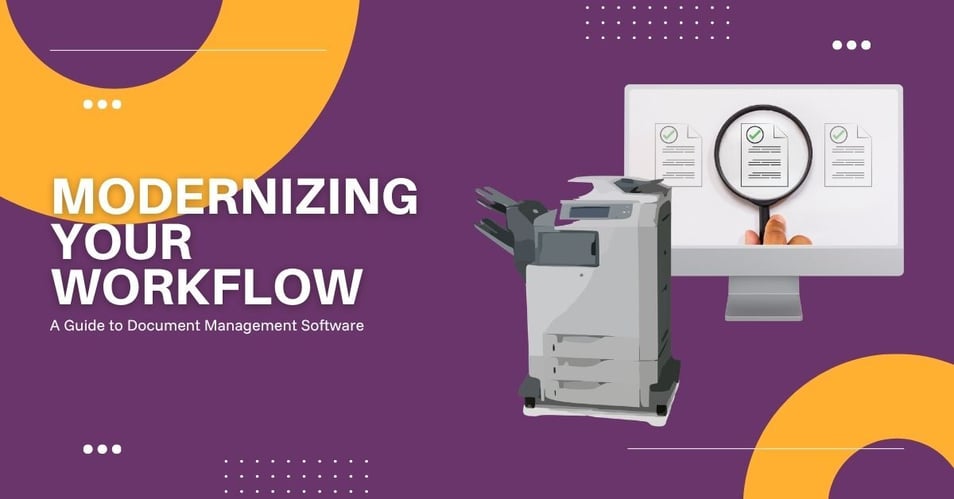
You don’t need to replace your infrastructure to go digital. Modern document management platforms are built to integrate with the tools you already have like multifunction printers, scanners, cloud storage platforms, and ERP or accounting software. Documents scanned at the copier flow directly into the DMS, properly named and indexed. Files from email or cloud platforms can be pulled in as well, so nothing falls through the cracks.
For teams that have invested in office technology, a DMS is less of a replacement and more of a layer that ties everything together to make your existing equipment significantly more valuable.
Calculating the ROI of investing in a document management system
Still wondering if the investment pays off? Take a look:
The ROI case for document management software is well-established. Organizations that make the switch typically see 50–70% faster workflows, a 40% average reduction in document-related costs, and approval processes that shrink from days to hours. Payback often comes within 6 to 12 months.
Is your business ready for document management software?
If your team is spending time chasing down files, managing compliance manually, or simply running out of physical space, the question isn’t really whether you can afford to implement document management software. It’s whether you can afford not to.
We work with operations managers and department heads across the Midwest to design and implement document management solutions tailored to your industry, your team, and your existing equipment. Contact us to schedule a demo and see what intelligent document processing looks like in practice.