Choosing the right office printer can have a bigger impact on your business than many people realize. From daily productivity to long-term operating costs, the equipment you use impacts how efficiently your team works.
For many small and mid-size businesses (SMBs), the decision is typically between a standard printer or a multifunction printer (MFP). While both can handle everyday printing needs, they are designed for very different workflows and business goals.
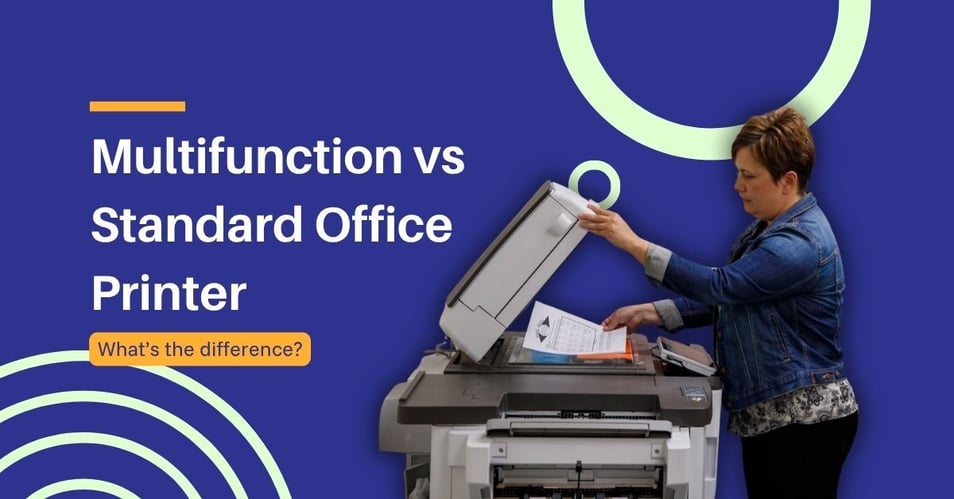
This guide breaks down the differences between the two, explains what modern multifunction printers can do, and helps you determine which option is best for your office.
What is a multifunction printer (MFP)?
A multifunction printer is an all-in-one device that combines several office functions into one machine. Most MFPs can:
- Copy
- Scan
- Fax
Many modern MFPs also include advanced features like wireless printing, cloud integration, document management tools, and mobile device connectivity.
A standard printer, on the other hand, is designed primarily for printing only. Some may offer basic wireless capabilities, but they generally do not include scanning, copying, or workflow automation features
For businesses that regularly handle paperwork, contracts, invoices, or digital records, an MFP can simplify everyday tasks while reducing the number of devices needed in the office.
Multifunction printer vs standard printer: a side-by-side comparison
Here’s a quick comparison of how standard office printers and multifunction printers differ across cost, space, productivity, and functionality.
Upfront equipment costs and leasing options
Standard printers are typically less expensive upfront. If your office only needs occasional printing, a single-function printer may seem like the most budget-friendly option.
However, businesses often underestimate the hidden costs of using multiple standalone devices. Purchasing separate printers, scanners, copiers, and fax machines can increase:
- Equipment costs
- Maintenance expenses
- Supply management
- Energy usage
An MFP typically costs more initially, but it can lower the total cost of ownership over time by consolidating multiple functions into one device.
Leasing is another factor to consider. Many businesses lease multifunction printers to avoid large upfront expenses and gain access to service, maintenance, and technology upgrades. Leasing can make enterprise-level equipment more affordable for growing businesses.
Office space and physical footprint
Office space matters, especially for SMBs with limited room.
A standard printer may take up less space on its own, but when additional equipment is needed for scanning, copying, or faxing, the office footprint grows quickly.
A multifunction printer combines these capabilities into a single machine, helping businesses:
- Reduce clutter
- Free up workspace
- Simplify office layouts
- Centralize document tasks
For hybrid workplaces or smaller offices, consolidating equipment can create a cleaner and more organized environment.
Workflow efficiency and team productivity
One of the biggest advantages of an MFP is workflow efficiency.
Instead of moving between multiple machines, employees can handle several tasks in one place. Modern MFPs also automate repetitive document processes, helping teams work faster and with fewer interruptions.
For example, employees can:
- Scan documents directly to email or cloud storage
- Create searchable digital files
- Print from mobile devices
- Copy large batches quickly
These features reduce manual work and improve collaboration across departments.
Standard printers still work well for businesses with very simple printing needs, but they often lack the tools needed to support growth and modern digital workflows.
What capabilities does a modern MFP offer?
Today’s multifunction printers go far beyond basic printing and copying. Many are designed to support digital transformation and flexible work environments.
Secure document scanning and digital workflows
Document scanning is one of the most valuable features of a modern MFP.
Instead of storing paper files in cabinets, businesses can digitize documents for easier organization, security, and sharing.
Advanced scanning automation features may include:
- Scan-to-email
- Scan-to-folder
- Automatic document feeders
- Two-sided scanning
- Optical character recognition (OCR)
- Intelligent document processing
These capabilities help businesses reduce paper usage while making documents easier to search and retrieve.
For industries like healthcare, legal, finance, and education that rely heavily on paperwork, digital document workflows can save significant time.
Cloud connectivity and mobile printing infrastructure
Modern workplaces are no longer tied to a single desk or office.
Many multifunction printers now connect directly with cloud platforms like Google Drive, Microsoft OneDrive, and Dropbox. Employees using a cloud print infrastructure can print or scan documents without needing a wired computer connection.
Mobile printing also allows users to print from smartphones, tablets, or laptops, making it easier to support hybrid and remote work environments.
These features improve flexibility while helping teams stay productive from almost anywhere.
When does a standard printer still make sense for a business?
Despite the advantages of multifunction printers, standard printers still have a place in certain environments.
A single-function printer may be the better choice if:
- Your office only prints occasionally
- You already have dedicated scanning systems
- Space is extremely limited
- Your budget is very tight
- You need a specialized high-volume print device
For example, a small retail counter or one-room office that only prints receipts or invoices may not need the full capabilities of an MFP.
In some larger organizations, standalone printers are also used for highly specific tasks, such as large-format printing or extremely high-volume production printing.
The right solution depends on how your business operates and what your employees need on a daily basis.
How a managed print provider simplifies your office equipment choice
Choosing between a multifunction printer vs standard printer doesn't have to be a guessing game. While the best office printer is always the one that matches your specific workflow, team size, and long-term business goals, finding that perfect balance can be challenging on your own.
Partnering with a specialized managed print provider removes the trial and error from outfitting your workspace. Rather than just selling you a machine, a provider analyzes your daily operations to determine which technology fits best.
A standard printer may be sufficient for:
- Solo professionals who only need basic desktop output.
- One-room offices with little to no administrative overhead.
- Businesses with minimal document handling that rarely scan, copy, or share physical files.
A multifunction printer is often the better fit for:
- Growing SMBs looking to scale their infrastructure smoothly.
- Teams that collaborate frequently and rely on rapid information sharing.
- Offices with active scanning and copying needs across multiple departments.
- Businesses moving toward digital workflows and paperless cloud storage.
Instead of leaving you to guess your future needs, a managed print provider takes a data-driven approach to your procurement. When evaluating your equipment options, they will audit:
- Monthly print volume: Ensuring you don't suffer from frequent hardware failures or overpay for underutilized capacity.
- Number of users: Setting up proper user authentication and access controls.
- Remote work needs: Integrating secure mobile printing infrastructure for hybrid employees.
- Document security requirements: Protecting sensitive client or patient data at the device level.
- Future growth plans: Choosing scalable hardware that adapts as your team expands.
By assessing your current environment, an experienced provider recommends a tailored equipment strategy that balances cost, productivity, and scalability. They deploy the exact mix of standard devices and advanced MFPs your business needs while consolidating your maintenance, service, and supply costs into a single, predictable monthly fee.
As businesses continue to modernize their workflows, utilizing a managed print provider to deploy multifunction printers has become the most practical way to streamline operations, reduce equipment clutter, and support a more connected workplace.
Ready to find the right print solution for your office? Schedule a print assessment to evaluate your current setup, identify inefficiencies, and get expert recommendations tailored to your workflow, budget, and growth goals.