Updated February 2, 2026
For many Midwest businesses, managing documents is a daily frustration. Files live in shared drives, email inboxes, filing cabinets, and personal desktops. Important documents are hard to find, approvals take too long, and security often depends on trust rather than controls. As organizations grow, these problems compound quickly.
This is where document management systems make a measurable difference. Rather than adding complexity, the right system simplifies how information is stored, shared, and protected without requiring a large IT team or enterprise-level budget.
What Is a document management system?
A document management system (DMS) is software that captures, stores, organizes, and manages documents digitally throughout their lifecycle. Instead of relying on folders and filenames alone, documents are indexed with metadata, secured with permissions, and tracked with full version history.
Unlike basic file storage, document management system software provides structure and governance. It ensures employees can quickly find the right information, collaborate without confusion, and meet records management and retention requirements automatically. For growing businesses, this added control is essential.
Why businesses are moving to document management systems
Many small and mid-sized organizations adopt document management systems out of necessity rather than preference.
- Security and compliance – These requirements continue to increase, even for companies that do not consider themselves highly regulated. Customer data, financial records, and HR documents must be protected, and manual processes leave too much room for error.
- Remote and hybrid teams – Employees need access to documents from anywhere without relying on paper files or office-based servers. Cloud document management systems support this shift by providing secure, centralized access without heavy infrastructure investments.
- Employee Turnover – Standardization of electronic files helps businesses continue to operate and get new employees operating efficiently faster. Tribal knowledge does not walk out the door with a standardized document management system.
- Hidden costs - Paper storage, printing, rework, and time spent searching for documents quietly drain resources. Digital document management reduces these hidden costs while improving efficiency across departments.
What modern document management systems actually do
At their core, document management systems provide a single, centralized location for documents. Employees no longer wonder which version is correct or where something was saved. Permissions ensure that sensitive information is only accessible to authorized users, while audit trails create accountability.
Search is one of the most immediate productivity gains. Instead of browsing folders, users can search by keyword, customer name, document type, or date. This is especially valuable for businesses managing contracts, invoices, or customer records.
Document workflow automation takes this a step further. Common processes such as invoice approvals, onboarding paperwork, or policy signoffs can be routed automatically. This reduces delays, eliminates manual handoffs, and supports broader business process automation initiatives without complex customization.
From paper to digital with scanning and digitization
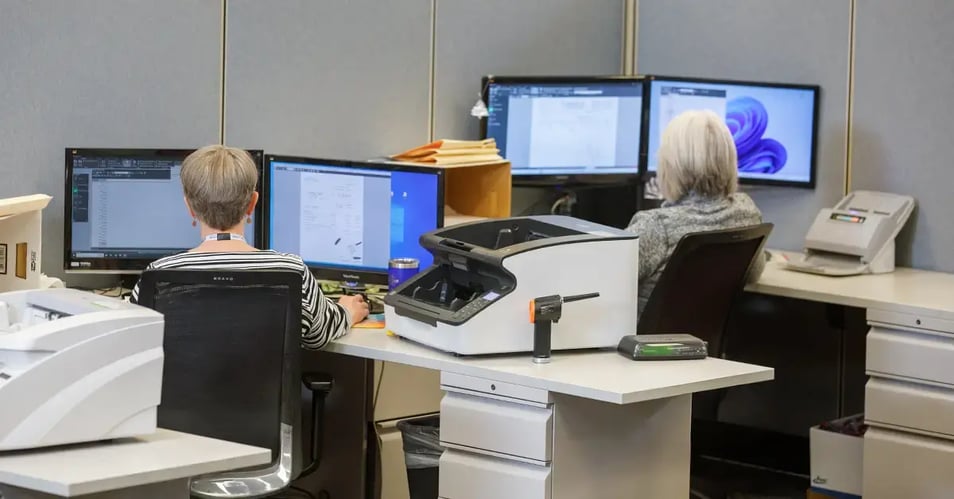
Many Midwest businesses still rely on paper records, often due to legacy processes. Document scanning and digitization allow these files to be converted into searchable digital documents without disrupting daily operations.
With OCR and scanning automation technology, scanned documents become fully searchable, making historical information easy to retrieve with one click. Digital archiving also supports long-term retention and backup strategies, protecting critical records from loss, damage, or disasters.
Improving daily business processes
The real value of document management systems shows up in daily work. Manual, paper-based workflows slow teams down and introduce errors. Documents get misplaced, approvals stall, and employees create duplicate files just to keep work moving.
By standardizing how documents are handled, digital document management reduces rework and confusion. Employees spend less time searching for information and more time serving customers or completing high-value tasks.
Many organizations see immediate improvement in common, document-heavy processes, including:
- Accounts payable and accounts receivable (AP/AR) - invoices, approvals, and payment records can be routed and tracked automatically
- HR onboarding and employee records - new hires complete paperwork quickly and securely
- Contract management - better visibility into versions, approvals, and renewal dates
- Customer and vendor files - easier to retrieve correspondence and agreements
- Compliance-related documentation - consistency and audit readiness
- Mailroom automation – access to paper mail from any location
These early wins help build momentum and demonstrate how document management solutions can support broader business process automation initiatives.
Security, compliance, and risk reduction
Document security is no longer optional in today’s workplace. Even smaller organizations face risks from data breaches, ransomware, and compliance violations. Document management systems protect information through encryption, role-based access, and detailed audit logs.
Industry-specific compliance requirements are easier to manage when retention rules and access policies are enforced automatically. In the event of an audit or legal request, documents can be retrieved quickly and confidently.
Disaster recovery is another overlooked benefit. Cloud and hybrid systems ensure documents remain accessible even if physical offices are disrupted, supporting business continuity without complex backup procedures.
The ROI of document management systems
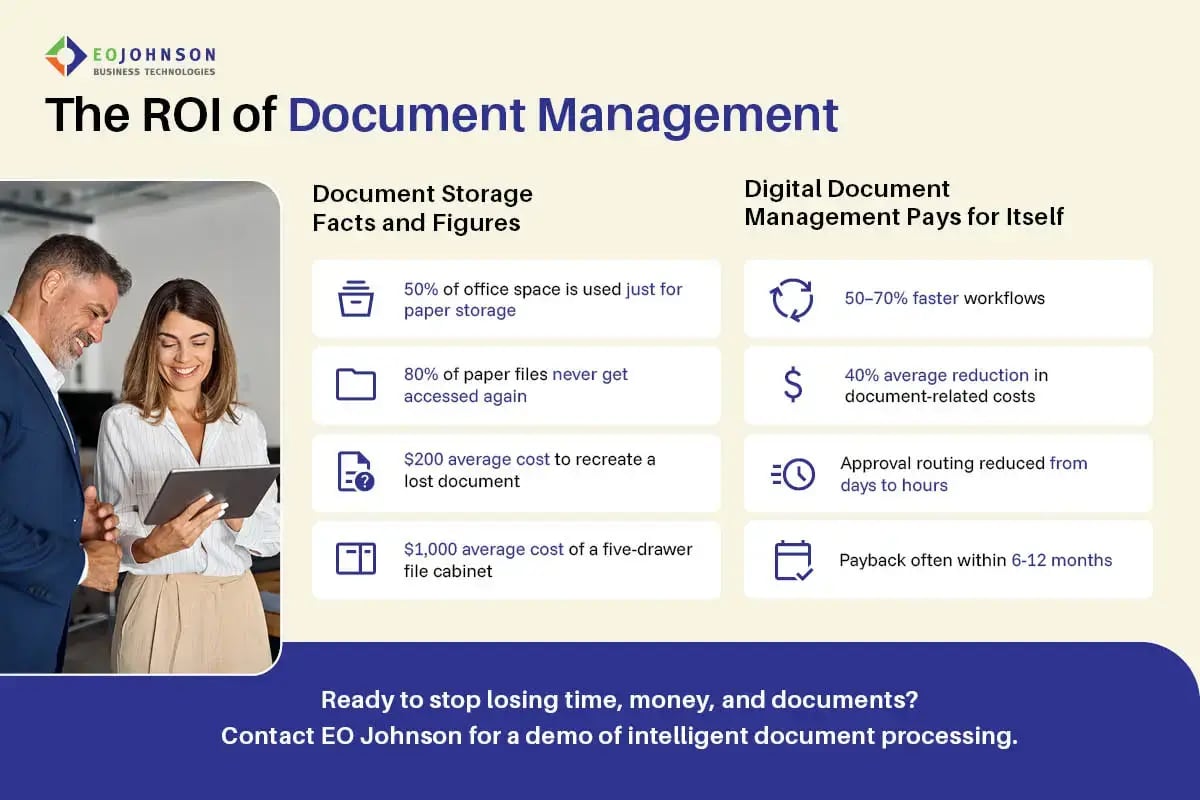
For businesses with limited resources, return on investment is often the deciding factor. Document management systems consistently deliver value by reducing hidden costs tied to paper, manual processes, and inefficiencies that grow as organizations scale.
Common areas of document management ROI include reduced printing and storage expenses, faster document retrieval, and fewer errors caused by version confusion or misplaced files. Industry studies frequently show that employees spend a significant portion of their time searching for information. Even modest improvements in retrieval time can translate into hundreds of hours saved each year for a small to medium-sized organization.
Productivity gains are often the fastest win. Automated workflows shorten approval cycles, eliminate rework, and allow staff to focus on higher-value tasks instead of administrative work. Over time, organizations also see financial benefits from reduced compliance risk, fewer audit findings, and improved customer satisfaction driven by faster response times.
Choosing the right document management system
Choosing a document management system does not need to be overwhelming, but it does require asking the right questions. The goal is to find a solution that fits your current operations while supporting future growth.
Key questions to ask include:
- How easy is the system for employees to learn and use without extensive training?
- Does it support secure document management with role-based access and audit trails?
- Can it automate our most common workflows, such as approvals or document routing?
- How does it handle records management and retention requirements?
- Will it integrate with our existing business systems?
- What level of ongoing support and service is included?
- Where are the support staff located – same time zone or same country?
Just as important as technology is the implementation partner. A knowledgeable document management partner helps map workflows, configure the system correctly, and ensure adoption. This is the difference between a tool that simply stores documents and a solution that truly improves operations.
How EO Johnson supports document management
EO Johnson helps organizations implement document management systems that are practical, secure, and scalable. With experience supporting Midwest businesses, EO Johnson focuses on solutions that improve workflows without overwhelming internal teams.
From process improvement consulting to secure document management solutions to bulk document scanning and digitization, EO Johnson provides end-to-end support. The result is a system that not only manages documents but helps businesses operate more efficiently and confidently.